


Kingmaker Mobile Casino - Play on the Go
If you like to spin a few reels or place a quick bet from your phone, Kingmaker Mobile Casino has you covered with the full site right in your pocket. You get the same games, sportsbook, promos and security on mobile that you see on desktop, just wrapped in a touch-friendly layout.
Features of Kingmaker Mobile Version
You do not need a separate app to play at Kingmaker Casino on mobile; you just open Kingmaker.com in your browser, and the site automatically adapts to your screen. The mobile layout keeps all the main sections like Casino, Live Casino, Jackpots, Sportsbook, Tournaments, Challenges, Shop, and VIP one tap away from the main navigation.
You can move between slots, live tables and sports markets without leaving the browser. Everything, from registration and KYC to deposits, withdrawals and bonuses, works the same way as on desktop.
Full Access to Games & Sportsbook
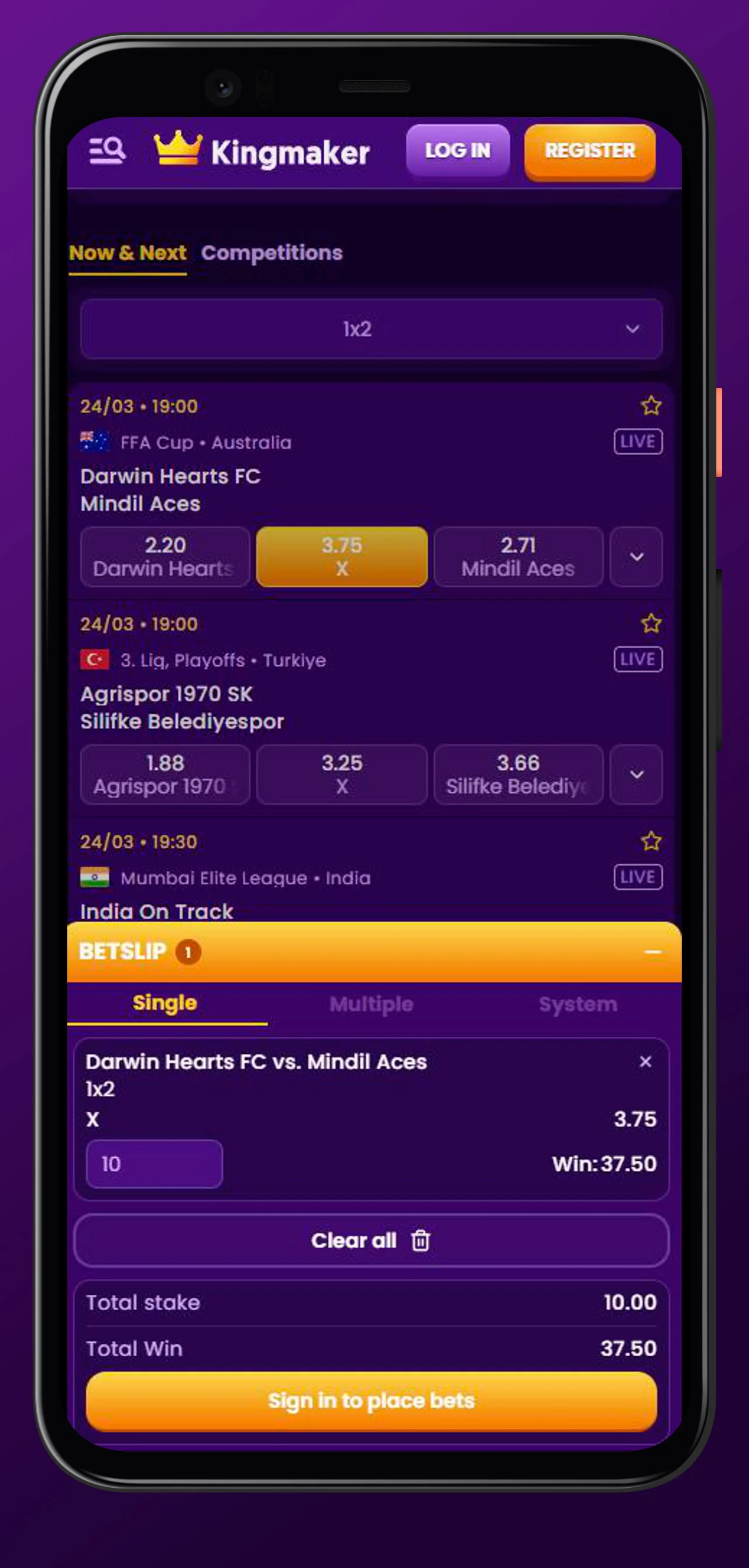
Here’s the thing: on mobile, you are not getting a “cut-down” version; you are using the same platform. The top navigation lets you jump straight to Slots, Live Games, Instant Games, Table Games, Jackpots, Sports, Live Betting and Virtual Sports from your phone.
On the casino side, you can:
- Open the full slots lobby, including New, Popular, Exclusive, Bonus Buys, Arcade and All Games filters.
- Join Live Casino tables like Roulette, Blackjack, Game Shows, Baccarat & Dice and Poker.
- Spin jackpot titles from Hot Jackpots, New Jackpots, Lucky Jackpots, Jackpot Play and Daily Jackpots sections.
On the sports side, you can:
- Access the full Sportsbook with football, tennis, basketball, ice hockey, table tennis and many more categories.
- Switch to Live Betting, Virtual Sports and special markets like Esports and social or public events.
Mobile Banking & Security
Now, about money and safety, which we know is what you really care about when you are playing on the go. On mobile, you still deposit and withdraw via the same payment page that is linked in the footer as “Payments”.
Key points:
- You can access supported methods like Visa, MasterCard and a long list of local and international options directly from your phone.
- All payments are processed over encrypted connections, and the site keeps customer funds on dedicated client bank accounts, so they are protected even in the case of insolvency.
- The same KYC and anti-fraud checks apply whether you play on desktop or mobile, including document verification and payment method checks.
So you can top up and cash out on your phone without worrying that the mobile version is “less secure”.
Interface & Navigation
Let’s talk layout. On mobile, Kingmaker uses a compact header with the logo, search bar and Login / Register buttons always within reach.
From the burger menu, you can:
- Jump straight to Casino, Live Casino, Jackpots, Sports, Live Betting, Virtual Sports, Challenges, Tournaments, Bonus Crab, Shop and VIP Levels.
- Open Promotions, Help Centre, Payments, Terms and Conditions, Responsible Gaming and other info pages.
The footer on mobile still gives you quick access to Payments, Casino/Sports categories and security badges. So even on a small screen, you are rarely more than two taps away from where you want to be.
How to Install Kingmaker Web App (PWA)
You can turn Kingmaker Casino mobile into a “web app” on your home screen so it feels like a native casino app. The site even has a dedicated “Create Shortcut” link in the footer that explains how to pin Kingmaker Casino to your device for free without downloading.
Putting Kingmaker Casino on your home screen means faster access, no store downloads and the same browser-based security and updates.
Adding Shortcut to Android Home Screen
On Android, you will usually see a browser prompt to “Add to Home screen” or “Install app” after you visit Kingmaker Casino. If not, you can trigger it manually in a couple of taps.
Typical Android steps (Chrome):
- Open Kingmaker.com, log in or register if needed.
- Tap the browser menu (three dots on the top right).
- Choose “Add to Home screen” or “Install app” from the menu to add the Kingmaker Casino app.
- Confirm the name “Kingmaker Casino” and tap “Add”; the icon will appear on your home screen like a regular APK without additional downloads.
Next time, you just tap the Kingmaker icon and go straight into the mobile site without typing the URL.
Installing on iOS (iPhone/iPad)
On iPhone and iPad, Kingmaker works the same way through Safari. You can add it as a shortcut so it sits on your home screen like a normal Kingmaker Casino app icon.
Typical iOS steps (Safari) to add Kingmaker Casino without downloading:
- Open Kingmaker.com in Safari.
- Tap the Share button in the browser bar.
- Scroll and tap “Add to Home Screen”.
- Confirm the name and tap “Add”; the Kingmaker Casino icon will appear next to your other apps.
From there, tapping the icon opens the Kingmaker Casino in a standalone window so it feels very close to a native downloadable APK.
Mobile Registration & Login
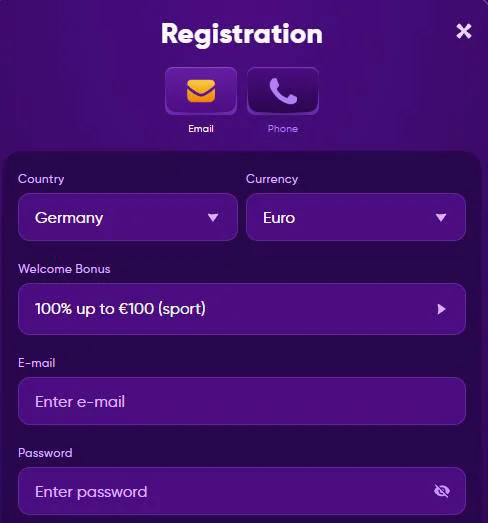
Now, getting started on mobile is as simple as on a desktop. The same “Register” and “Log in” buttons sit in the header on your phone, and the registration form is fully mobile-friendly.
Basic flow:
- Tap “Register” and fill in your email, password and personal details as requested in the Terms.
- Confirm that you are 18+ and legally allowed to play, then submit the form.
- After that, you log in with your email and password and can immediately access games, sports and promotions.
KYC and account checks like ID and proof of address can also be handled from mobile, since you can upload photos of your documents right from your phone.
Mobile Bonuses & Promotions
Here’s the thing: on mobile, you are not missing any promos. You still have the full Promotions section, plus access to Gamification, Shop, Bonus Crab, Casino and Sports bonuses from your phone.
On mobile, you can:
- Claim casino offers like Welcome Bonus, Weekly cashback up to 15 % and Weekend Reload with free spins.
- Grab sports promos like First Deposit Sports Bonus, Sports Cashback and other betting offers.
- Join tournaments, complete Weekly and One Time Challenges and exchange Coins in the Shop for bonuses and spins.
Everything is tracked the same way, so your Coins, VIP level, challenges and active bonuses follow you seamlessly between desktop and mobile.
System Requirements & Compatibility
You do not need a monster phone or tablet to run Kingmaker. The Kingmaker Casino site is built as a responsive web platform that works on modern browsers, not as a heavy downloadable client.
In practice, you will be fine with Kingmaker Casino downloading if:
- Your Android or iOS device runs a reasonably recent OS version and supports modern browsers like Chrome, Safari or Firefox.
- You have a stable internet connection, especially for Live Casino and Live Betting, where every second matters.
Since the games themselves run from providers’ servers in your browser, performance will mostly depend on your connection quality and how many apps you have running in the background.
Conclusion
Bottom line, Kingmaker Mobile Casino lets you take the full casino and sportsbook experience with you, without any watered-down “mini” site. Add the Kingmaker Casino web app to your home screen without additional downloads, log in once, and you have games, bets, promotions, Shop, Challenges, Bonus Crab and safe banking literally one tap away wherever you go.